
How to run your factory floor from Business Central
A practical guide to running your factory floor inside Business Central with DvProduction: MES, visual scheduling, IoT and real-time shop floor data.
A manufacturing plant runs on two information streams. The official one — the ERP — holds sales orders, purchases, accounting and inventory. The informal one, larger than most management teams assume, lives in spreadsheets, paper tickets, emails and the foreman’s WhatsApp messages. When the first stream stops reflecting what is happening on the shop floor, the business makes decisions with days of lag over a reality that no longer exists.
This article explains how to close that gap from inside Microsoft Dynamics 365 Business Central — without leaving the ERP, without adding middleware, and without asking operators to juggle two different systems. We will walk the full path: the problem with standard BC, what an integrated MES brings to the table, how visual scheduling works, how workload levelling works, what machine IoT looks like when it lives inside the ERP, and how you can evaluate all of this against demo data from six industrial sectors before you commit.
The real problem: standard BC covers 70 %
Business Central is a solid ERP for administrative and financial management. It covers sales orders, purchasing, general and cost accounting, inventory, resources, and a standard manufacturing module with production orders, routings and BOMs. For many industrial SMEs, that resolves 70 % of the daily needs.
The remaining 30 % is where deals are won or lost. That 30 % is day-to-day shop floor operation: the operator clocking in when a new piece starts, the lot change that nobody wrote down, the two-hour line stop that went unlogged, the quality measurements that the customer asks for as part of the delivery, the piece count the machine produced overnight while nobody was in front of it. It is also the weekly planning process: fitting orders against actual capacity, spotting overloads before they arrive, notifying Sales when a delay will affect a specific customer order.
Standard BC does not cover that 30 % well. Not because it is a bad ERP, but because it was not designed to. The usual outcome: the customer keeps the ERP for invoicing and a maze of spreadsheets to actually run the plant.
The thesis: extend BC, don’t replace it
The sensible answer is not to change ERP, and it is not to bolt a separate MES on top with its own database, its own users, and an integrator syncing both worlds every night. It is to extend Business Central with what it is missing, in its own language, inside the same ERP that the team already uses every day.
That extension is DvProduction. It is a native AL extension for BC v27+, with no external dependencies, certified on AppSource, running on both Cloud (SaaS) and On-Premise. Same extension, same code, same performance. It is not middleware: it lives inside the ERP.
Let’s walk through what it adds, block by block.
Visual scheduling: four views in one screen
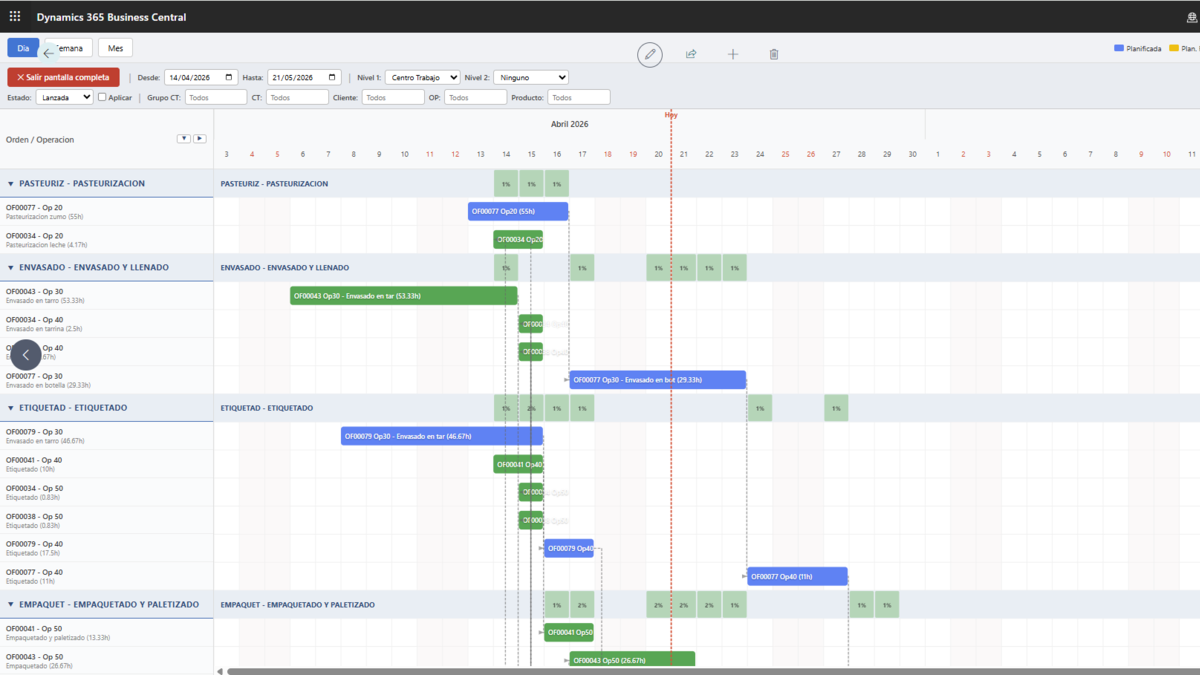
The first thing that changes with an integrated MES is how you see production. You move from a long list of orders to an interactive Gantt, a workload matrix, an operator calendar and a live KPI panel. All four views share the same data, but each answers a different question.
Interactive Gantt chart
Time bars represent every operation of every production order. Dragging an operation with the mouse is not a cosmetic gesture: when you drop, the system automatically validates three things. First, the work-centre capacity on the new date; if utilisation goes above 100 %, it proposes the first available day. Second, dependencies with predecessor or successor operations; if there is a conflict, it offers to adjust them. Third, the impact on linked sales orders; if the new date delays a delivery, it calculates the days and flags it.
A single click on a bar opens the routing lines. A double click opens the order record. Operations can be grouped by work centre, machine, resource, customer, order or category, up to two simultaneous grouping levels, and the period granularity switches between day, week and month.
Workload matrix
The matrix flips the Gantt logic. Rows are work centres, machines or resources. Columns are up to twelve time periods. Each cell is the utilisation percentage. The colours talk with no effort: green up to 70 %, yellow between 71 and 100 %, red above 100 %. A click on a cell drills down to the specific orders generating that load.
The matrix is the view plant managers reach for when they have to answer, in one breath: do we have room next week for this order?. The bottom panel totals load hours, capacity hours and global utilisation percentage.
Grouped operations list
A tabular format, no colour, groupable on two levels. Useful for quickly auditing without the visual complexity of the Gantt. It is the review view.
Operator calendar
A weekly view, Monday to Sunday, one row per operator. Each cell shows the operations that operator has been assigned and the planned hours. Under-loaded operators and over-assignments become visible in a single glance.
Real-time KPI panel
The side FactBox concentrates the health reading of the plant: delayed operations (red if any, with drill-down), in progress (yellow), pending release (yellow if more than five), planned hours this week, capacity available this week, and plant utilisation percentage (green up to 80 %, yellow up to 100 %, red above).
Ten extra dynamic filters — date, grouping, period, work centre, customer, order, product, category, order status — apply instantly across the four views at the same time.
Workload levelling: the system proposes, you decide
One of the most unproductive moments in manufacturing is spending two hours moving operations in a spreadsheet to redistribute load. DvProduction runs that analysis for you and hands you individual suggestions.
The engine scans work centres in the configured date range, detects overloads, searches for days with available capacity, and produces a list of suggestions. Each suggestion carries the current date, the proposed date, the reason, and the concrete consequence: delays sales order SO-00124 from customer X by two days. You accept or reject them one by one. If you accept, the system asks whether to adjust only later operations, only earlier ones, or both. It regenerates suggestions after each change so the analysis always runs on the latest picture.
When levelling delays a sales order, a delay alert fires. The alert shows up in its own panel with customer, sales order, production order, original date, new date and delay days. The salesperson receives a BC notification, if configured. The customer receives an automatic email with a configurable template. The panel lets you mark the alert as pending, notified, sent or resolved, to close the loop with visibility. None of this is magic: it is the difference between hearing about a problem two days late and hearing about it within the hour.
Shop floor control: the part standard BC does not have
The MES block — Manufacturing Execution System — is what turns BC into an ERP with real shop-floor control. DvProduction does it from inside the ERP itself. Five feature groups.
Operator check-ins
Start and end of operations, with time control. Date, time, machine and operator are logged automatically. The system calculates execution time. It is configurable whether an operator can have one or multiple operations open at the same time — depends on the process. Check-ins integrate with the rest of scheduling: the Gantt shows in real time which operations are in progress.
Material consumption with traceability
Consumption logging with lot and serial traceability. Tracked components force lot selection before the consumption can be registered. The system watches for over-consumption: you configure whether it warns or blocks. Production journal lines are generated automatically, no double keyboarding.
Incident handling with machine stop control
A configurable catalogue of incident types, each flagged whether it implies a machine stop. When an incident is logged, start time, end time and affected units get captured. The full history sits in Incident Movements. And if the machine is IoT-connected and has alarms configured, incidents can be created automatically from those alarms without anyone having to type them in.
Quality measurements
A measurement template per routing operation. The operator logs measurements with the specific equipment used. The system keeps the calibration traceability of that equipment — device type, serial number, range, calibration frequency — so that if a customer asks for an audit report with the actual measurements taken on their order, an RDLC report is generated with everything in detail.
Specialised screens per process
The same plant does not work the same way across all operations. That is why DvProduction ships three specialised screens, configured per operation in the routing: dosing (recipe, component quantities, actual weights, tolerances), packaging (product, lot, packed quantity, barcode labelling with I2/5 and Code 128), and consumption (component pick, quantity, lot, available stock).
Personnel assignment
And a personnel layer on top of work centres: resource families by skill or speciality, bulk automatic assignment by family so the planner does not have to touch operator by operator when a shift starts.
IoT: machines talk, the ERP listens
The next layer is connecting machines directly to the ERP. No middleware, no proprietary gateways. DvProduction implements the integration on top of Business Central’s native REST API and supports seven industrial protocols: OPC UA, Modbus TCP, MQTT, S7, REST API, MTConnect and EthernetIP.
The machine sends signals and the system reacts automatically. A Run signal creates an operation start check-in. A Stop signal closes it and calculates execution time. PieceCount updates produced quantity. Alarm creates an incident, if auto-logging is on. Energy logs energy consumption. CycleTime logs cycle time. Speed, speed.
The shop-floor dashboard shows each machine with a traffic light, the current production order, the product being manufactured, the assigned operator, order quantity vs. actual progress and pieces produced today. It refreshes automatically. It is the screen that lives on the plant manager’s monitor, not one that gets opened twice a day.
Per-machine configuration is done from BC: code, protocol, endpoint URL, node IDs (Run, PieceCount, Alarm, Speed), polling interval in milliseconds, linked gateway, linked work centre, and flags to decide whether operation and incident auto-logging is active for that specific machine. Each machine has its own profile: a CNC does not configure the same way as a packaging line.
How you evaluate before buying: demo data for 6 sectors
An important note from the DvProduction brief: there is no free trial, but there is sector-specific demo data. The product ships with realistic data for six industrial sectors — food, metal, plastic, capital goods, tobacco and metal profile — so you can evaluate the extension against an operation similar to yours before deciding.
The demo data is particularly useful for three things. First, so the production manager sees the Gantt with orders from their sector and judges whether the flow fits the way their team works. Second, so the IT lead verifies the integration with the customer’s BC without risk to production data. Third, for self-training: the customer’s team can simulate orders, check-ins, consumption and incidents without touching real data while the evaluation is running.
Pricing: what matters without opening another page
DvProduction is priced on a monthly subscription via Stripe, with two licence types: Premium, which can create and edit, and Team Member, which can read and run basic operations. You contract by module.
- Shop Floor Control: €85/user/month Premium, €20/user/month Team Member. Minimum 5 Premium users.
- Visual Scheduling: €85/user/month Premium, €20/user/month Team Member. Minimum 5 Premium users.
- Full Pack (both modules): €140/user/month Premium (€70 + €70, previously €85 each), €40/user/month Team Member. Minimum 5 Premium users per module.
- Machine IoT: custom quote based on the machine fleet.
Three practical notes. One, there is no upper user limit — it scales with the subscription. Two, if the licence server goes down, the extension has a 48-hour offline grace period with HMAC-SHA256 signed tokens, so production does not stop. Three, DvProduction is standalone: no dependency on any other product or extension.
When it makes sense to take this step
Three company profiles where it fits particularly well.
First, the industrial SME that grew with Business Central as its administrative backbone and keeps operations in spreadsheets. It works, until it stops working: the large Excel file breaks, the shift foreman retires, quality measurements become a hard customer requirement, and the production manager wants real-time data to make decisions.
Second, companies in generational handover or a sale process. Before due diligence, the buyer wants to see the numbers in detail: real costs per order, productivity per centre, downtime, scrap rate. Without an integrated MES, those numbers are reconstructed with heavy manual work and questionable reliability.
Third, companies with unmanaged profitability. They do not know where they are losing money because they do not measure. Shop Floor Control + Visual Scheduling are the first step to measure.
The next step, concretely
If your plant fits any of the three profiles, the most useful way to evaluate DvProduction is not to read more — it is to book a 30-minute free consultation with the Davisa team. It is not a generic demo. It is an advisory session on your case, with the demo data from the sector closest to yours and with the specific questions that are blocking you on the shop floor today.
If you prefer to go direct, the extension is published on AppSource and can be downloaded from there. Sector demo data comes included.
And if you want to go deeper on a specific piece before taking the step, our Spanish blog covers each layer (English translations coming soon): MES system, smart scheduling, production traceability, scrap management with a specialised ERP and why Business Central for manufacturing are good entry points.
The ERP and the shop floor speaking the same language, in the same system, without Excel and without middleware. That is what changes when DvProduction comes in. The rest is telling you how we get started.
Artículos relacionados
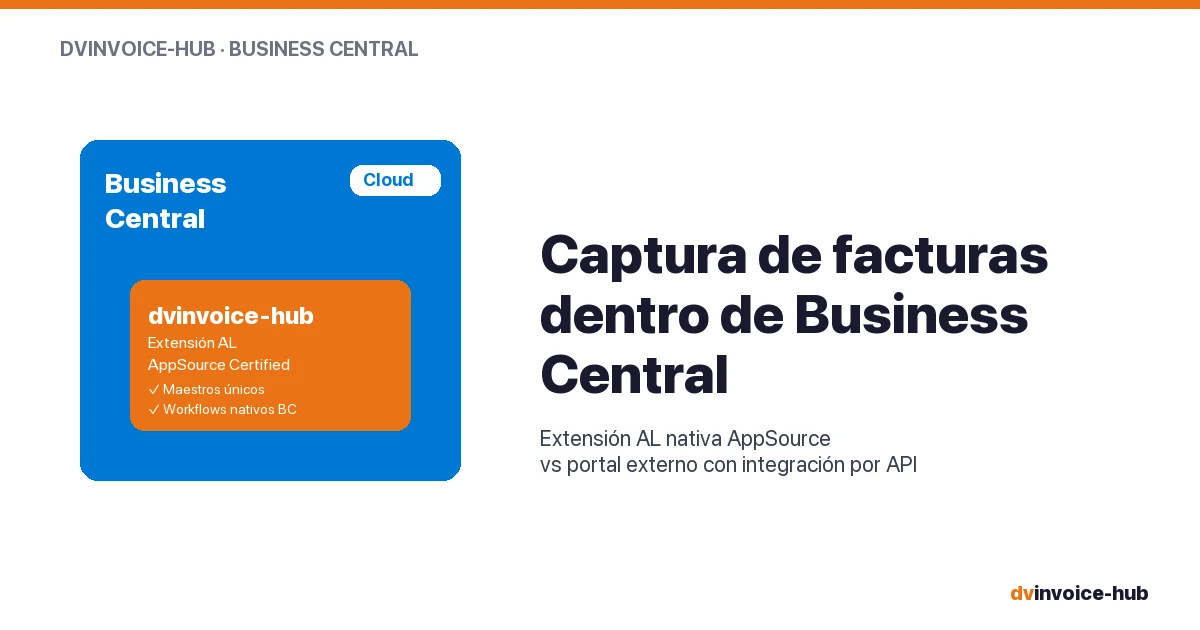
AP Invoice Capture in BC: Native Extension vs Portal
AP invoice capture in Business Central: why a native AL extension is more robust than external portals that break reconciliation and APIs.
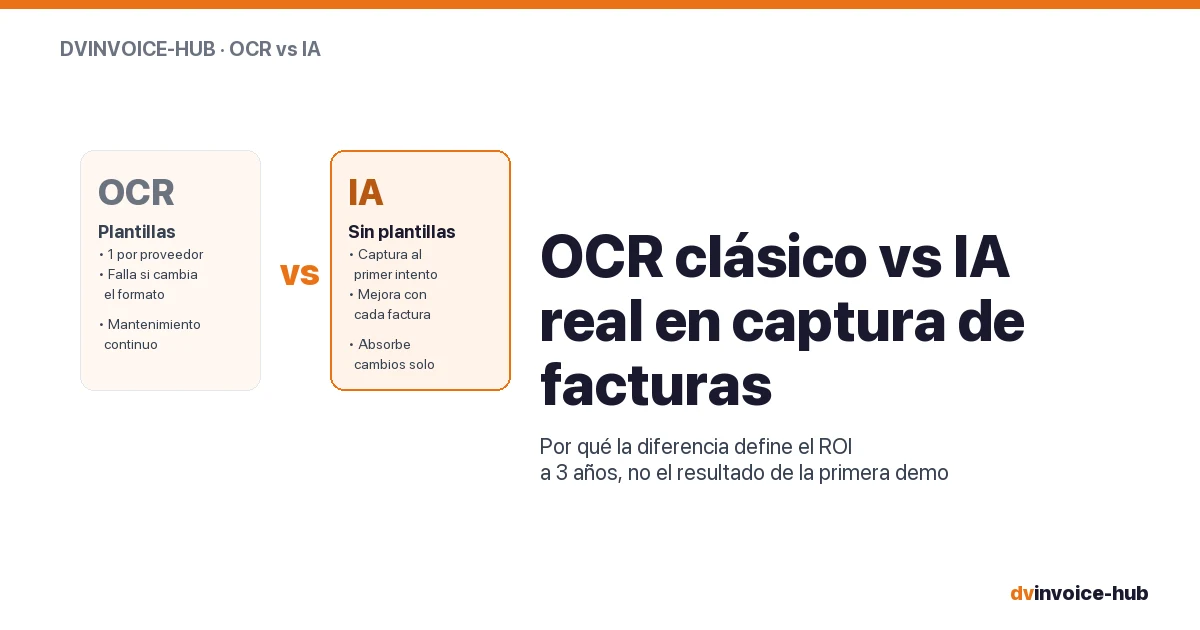
OCR vs AI for AP Invoice Capture in Business Central
Classic OCR and AI-powered capture sound alike but do very different things. Why AI applied to your supplier base reshapes the 3-year ROI.

Business Central Pricing & License Levels Explained (2026)
Clear breakdown of Microsoft Dynamics 365 Business Central license levels (Essentials, Premium, Team, External Accountant) with real prices and use cases for 2026.