
MS Project vs Business Central: planning without double truth
Honest comparison of MS Project against native planning in Business Central with dvplanner: cost, integration, support and when to migrate.
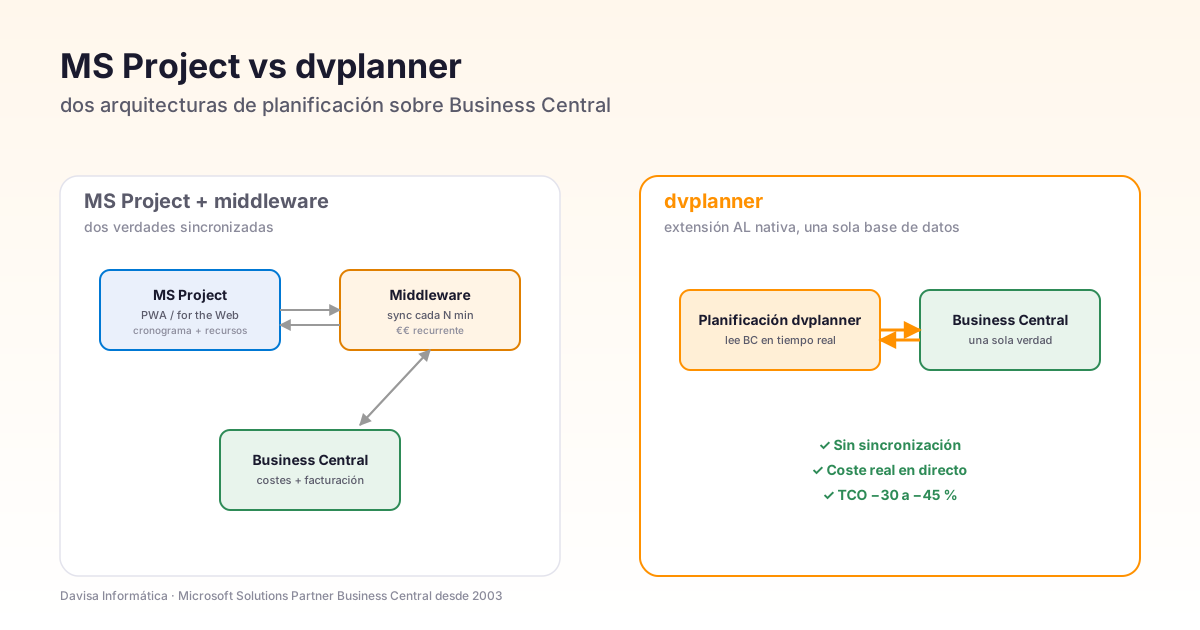
If your company uses Microsoft Dynamics 365 Business Central and plans projects with Microsoft Project (desktop, Project Online or Project for the Web), sooner or later two questions come up:
- Why do I have to keep two systems running (Project + BC) if Microsoft could have it all in one?
- Why does the plan signed off by my operations director never match the costs that finance closes the month with?
This article answers both. It compares, without sugar-coating, MS Project against native planning in Business Central (dvplanner), reviews the current state of Microsoft’s Project product line (Online vs for the Web vs desktop) and helps you decide whether to migrate — or stay where you are.
Context disclosure: dvplanner is a product from Davisa Informática, a Microsoft Business Central partner since 2003. We have done our best to keep the comparison as honest as possible — calling out what MS Project does better and what dvplanner does better, without caricatures. If your case fits Project, we say so.
The real state of the Microsoft Project product (2026)
Before comparing, it’s worth knowing what “MS Project” actually means today — because Microsoft has three distinct products under that umbrella, with very different present and future:
| Product | Current state | Recommended for |
|---|---|---|
| Project Desktop (Project Pro) | Active, still sold. Perpetual licence or Plan 3. | Individual PMs working with a local Gantt. |
| Project Online / PWA | No new sales since 2024. Maintenance only. | Existing customers; do not buy new. |
| Project for the Web | Active, built on Power Platform / Dataverse. | Small teams, simple cases without cost tracking. |
This matters because if you’re evaluating MS Project today for a new deployment, you cannot buy Project Online. And Project for the Web — its successor — has serious limitations in cost management and invoicing. That changes the conversation: the “MS Project vs dvplanner” comparison is not the same as it was 5 years ago.
Summary table — what to consider before choosing
| Dimension | MS Project (Online / for the Web) | dvplanner (native BC) |
|---|---|---|
| Architecture | Standalone product + BC integration | AL extension inside BC |
| Cost management | Limited (for the Web) / via PWA (discontinued) | Native: uses BC’s Job + Resource + budget |
| Gantt-style schedules | Yes — very mature | Yes — integrated into BC |
| Time entry | Via Microsoft Forms / Project Plan 5 | Directly in BC (standard Time Sheet) |
| Real-time profitability | Not native — requires Power BI + integration | Yes, live on BC tables |
| Link to invoicing | Via middleware or manual export | Same database as the invoice |
| Multi-company BC | Not applicable | Yes (one dvplanner serves several companies) |
| Learning curve | High (especially PWA) | Medium — the BC team already knows the environment |
| Pricing | 30-55 €/user/month + integration + maintenance | Annual licence + scoped implementation |
| 3-year TCO (mid-size project) | High market benchmark | ~30-45 % lower on comparable projects |
| Support | Microsoft + local Project partner | Davisa, the same team that implements BC |
Integration with Business Central — the detail that decides
The strongest argument in favour of dvplanner isn’t functional, it’s architectural. Let’s get into the detail.
How MS Project + BC does it
Project keeps its own database (PWA in SharePoint, Project for the Web in Dataverse, desktop in .mpp files). For BC to see what’s happening in Project, there are three routes:
- Middleware (KingswaySoft, Scribe, a custom connector): a service that every N minutes syncs tasks, resources, hours and costs between the two systems.
- Power Automate flows: for simple cases (a new project in Project creates a Job in BC).
- Manual exports: someone exports a sheet from Project and uploads it into BC.
Pros:
- Project is still Project — an experienced PM team can keep working the way they always have.
- There’s a mature ecosystem of plug-ins, templates, books and classical PM training.
Cons we see in customers (the ones who end up migrating to dvplanner):
- Permanent double truth: what you see in the Project Gantt is not what BC invoices. Until the sync job finishes, the two systems hold different data.
- Stuck moments when figures don’t match: “Which hour logged in Project became this cost in BC?” — cross-system traceability is manual.
- Connector maintenance: every BC or Project update can break the sync. You’ve seen the Power Platform version change 3 times this year.
- Hidden cost: most MS Project + BC implementations are scoped at 6 weeks and end up taking 4 months because of “edge cases”.
How dvplanner does it
dvplanner is an AL extension inside Business Central. The project the PMO plans is the Job table in BC. The assigned resource is BC’s Resource table. The logged hour is a BC Time Sheet Line. The budget for each line item is a BC Job Task Line.
This means:
- One single truth: there’s no parallel database. What you see in dvplanner is what the ERP sees. Change a task in dvplanner and the BC job updates instantly.
- Live actual cost: when someone logs an hour, the cost in the project dashboard rises in the same second. No waiting for month-end close.
- Built-in invoicing: the moment a job is ready to bill, dvplanner flags it. The invoice is issued in the same BC, with the same rate the planner used.
- No integration maintenance: there’s no connector to maintain. When BC updates, dvplanner updates with it (it’s AL code living inside the ERP).
The trade-off is honest: native AL integration ties dvplanner to Business Central / NAV. If your company is going to migrate off BC within 3 years, it doesn’t make sense. If BC is going to be your ERP for the next 5-10 years, dvplanner is the natural match.
Cost and profitability management — where MS Project falls short
This is the heart of the argument. MS Project was born to manage schedules, not costs. The cost module exists but it’s basic: “standard cost per resource” fields, expense lines and not much else. To get real project profitability you need to:
- Capture logged hours with their internal and external rate.
- Load supplier and subcontractor invoices against the project.
- Apply allocation rules (what % of a general expense goes to each job).
- Reconcile everything with the initial budget and customer invoicing.
- Detect variances while there’s still time to react.
Microsoft Project on its own does none of that. The companies that use it complete the picture with:
- Power BI (after-the-fact reporting).
- Excel (manual monthly consolidation).
- PWA + custom code (expensive to maintain).
dvplanner, by living inside BC, inherits everything BC already knows how to do: resource rates, indirect cost allocation, monthly close, invoice reconciliation. You don’t have to “build” profitability — it’s in the ERP, and dvplanner simply surfaces it to the PMO in real time.
The elephant in the room: the Project Online sunset
In 2023 Microsoft announced the End of Sales for Project Online (PWA). New subscriptions closed in 2024. Existing customers can keep using it, but:
- No new features — it’s in maintenance mode.
- Microsoft is actively pushing toward Project for the Web (Dataverse).
- In 3-5 years, PWA customers will have to migrate (to Project for the Web, to an alternative, or to a rewritten PM stack).
If your company uses Project Online today, the clock is ticking. The question isn’t whether to migrate — it’s where to. The real options:
- Project for the Web: the Microsoft route. Simple, on Dataverse, limited BC integration. Good for small teams without complex cost needs.
- dvplanner: the BC-native route. Integrates planning + costs + invoicing. Good for companies that invoice per project.
- External tools like Asana, Wrike, Monday: options that require a BC connector and duplicate data.
If your company has been on PWA for 5+ years, you have mature flows and templates. Migrating is real work, not trivial. But doing it now (with breathing room) is cheaper than doing it in 3 years (in a rush, when Microsoft tightens the sunset).
What MS Project does better — worth acknowledging
It would be dishonest to compare without recognising what Microsoft’s product does better:
- Mature visual scheduling: the Project Gantt is the industry benchmark. dvplanner has an integrated Gantt inside BC, but Project’s tool has 30 years of visual polish.
- Ecosystem and training: PMI, PRINCE2, books, courses — all mainstream PM culture uses Project as the example. Finding a PM who knows Project is easier.
- Industry templates: there are Project templates for every type of project, sector and vertical. Getting started is fast.
- ERP independence: if your company doesn’t have BC (or is planning to switch), Project is the safe choice.
When to choose each one
Choose MS Project if:
- Your company doesn’t use Business Central (and doesn’t plan to in the next 2-3 years).
- Cost and profitability control is NOT a priority — schedule + resources is enough.
- You have a mature PMO team used to Project and the change curve is expensive.
- You operate with multiple ERPs (BC in one subsidiary, SAP in another) and need a single PM layer on top.
Choose dvplanner if:
- Business Central is your ERP and will be for years to come.
- Your company invoices per project — you need to know the real margin of each job.
- You have teams logging hours and want the cost to show up in real time.
- You’re tired of maintaining the Project ↔ BC connector.
- You have Project Online and need to plan the migration before the sunset hits.
Real case: 60-person engineering firm, migration from PWA to dvplanner
Davisa customer: industrial engineering firm, 60 people, 40 projects running in parallel. They had Project Online syncing to BC via middleware. Before:
- Monthly close time: 5 working days (manually reconciling Project with BC).
- Variances spotted late: real margin appeared at month-end close, 30 days late.
- Annual stack cost: PWA licences + middleware + external integrator hours, total high.
- PMO tickets to IT: 2-3 per week (“the job got duplicated”, “the hour didn’t make it to BC”).
Migration to dvplanner in 5 weeks. Six-month results:
- Monthly close: 1 day. Everything is already in BC.
- Live real margin: the operations director sees it every morning on their dashboard.
- Annual stack cost: -41% (no PWA licences, no middleware, no integration hours).
- PMO/IT tickets: practically zero. There’s no sync to fail.
Closing — decide on your company’s case, not on inertia
MS Project is a good tool, but the product is in transition (PWA sunset, push toward Project for the Web) and it was never designed to integrate deeply with an ERP.
If your company runs on Business Central and invoices per project, dvplanner is built exactly for that case: planning + costs + profitability on a single database. No double truth, no connector to maintain, no surprises at month-end.
Want a firm comparison against your specific case? Talk to a Davisa advisor — in less than a week you’ll have a concrete proposal with scope, timeline and firm price to compare against.
Artículos relacionados
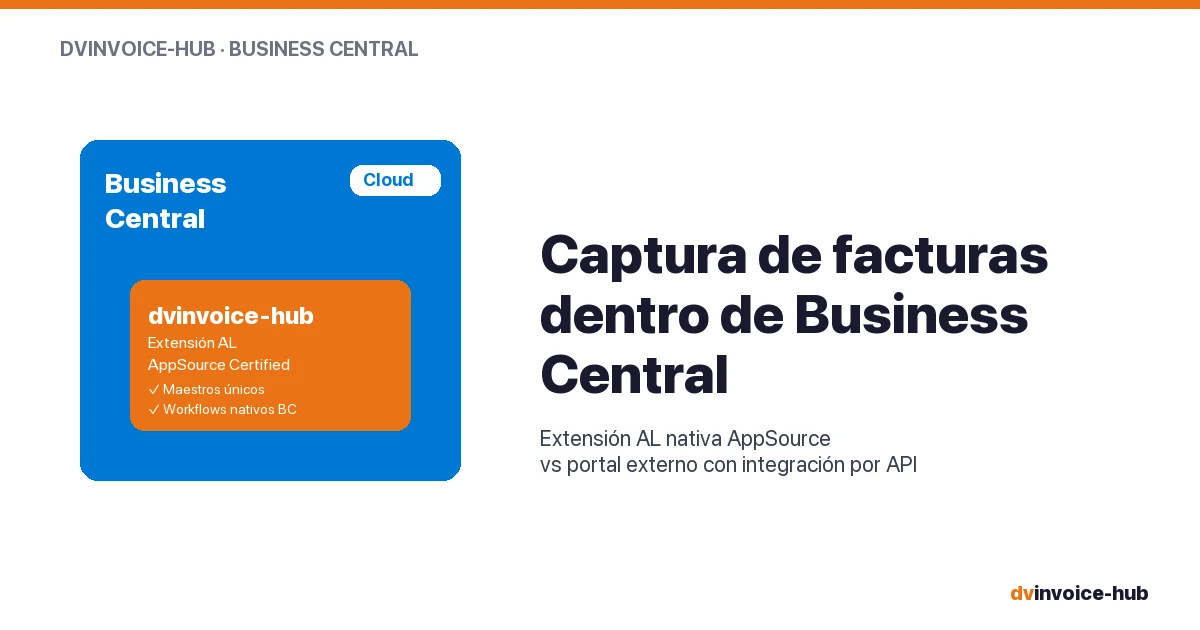
AP Invoice Capture in BC: Native Extension vs Portal
AP invoice capture in Business Central: why a native AL extension is more robust than external portals that break reconciliation and APIs.
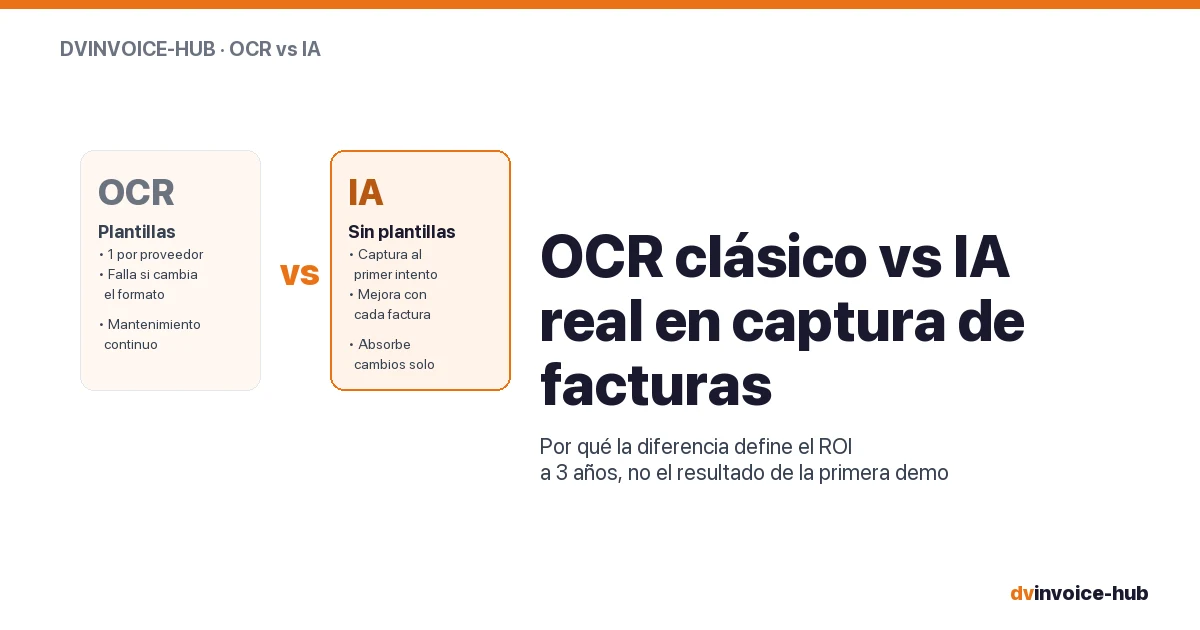
OCR vs AI for AP Invoice Capture in Business Central
Classic OCR and AI-powered capture sound alike but do very different things. Why AI applied to your supplier base reshapes the 3-year ROI.

Business Central Pricing & License Levels Explained (2026)
Clear breakdown of Microsoft Dynamics 365 Business Central license levels (Essentials, Premium, Team, External Accountant) with real prices and use cases for 2026.