Shared Responsibility Model in Cloud Security
The shared responsibility model explains how security responsibilities are split between customer and provider in cloud environments.

Division of responsibility in the Shared Responsibility Model
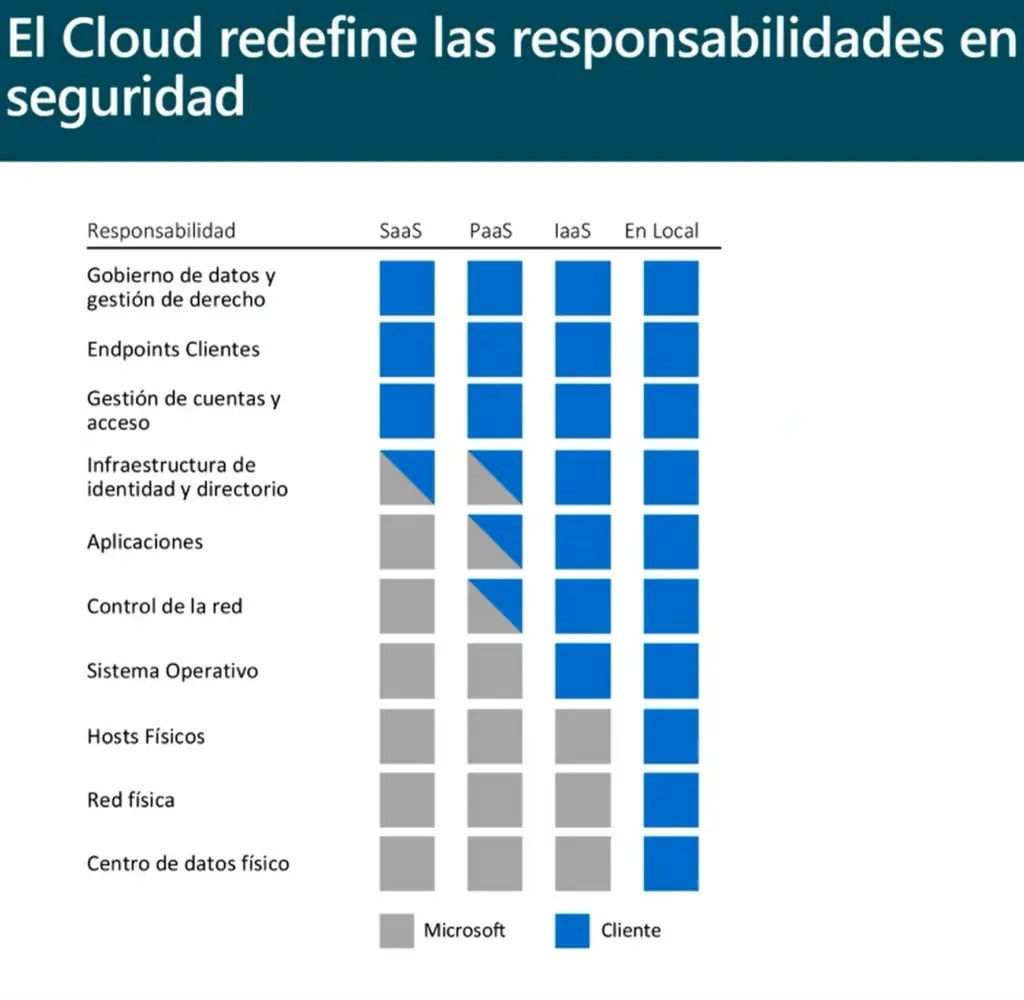
Ready to discover the Shared Responsibility Model? Before the cloud arrived, in on-site datacentres, the purchaser was — and still is on-premise — the owner of the entire system. However, in the cloud format there are certain responsibilities that no longer belong to the customer, but are taken on by Microsoft (in our case).
In the following image we show the different responsibilities and the comparison between any kind of cloud environment and an on-premise one. It is worth noting that, regardless of the type of cloud deployment, the customer always keeps the following responsibilities:
- Data management
- Endpoints
- Account management
- Access administration
While it is true that there is some fear around security in cloud environments, the cloud offers great advantages to face information security challenges. In on-site environments, organisations find it hard to meet their security duties because of their limited resources. The cloud puts an end to this problem, allowing customers to shift the security responsibilities of their systems to the cloud service provider and reallocate their resources and budgets to other organisational matters.
Companies can also leverage the existing cloud security capabilities to achieve greater effectiveness and improve attack detection.
The real context — what is happening today in Spanish SMEs
The typical Spanish SME of 20-100 people that still runs on-premise shares the same pattern:
- A physical server in a room with domestic air conditioning, bought 6-10 years ago.
- Backups on a USB drive that somebody rotates “when they remember”.
- Windows Server updates postponed indefinitely because “they break things”.
- Antivirus from last year and a firewall on the internet provider’s router.
- Improvised VPN for remote work, with passwords shared on post-its.
- Contingency plan for fire/flood/ransomware: pray.
In this scenario, security responsibility falls 100% on the company — and is rarely met. When ransomware hits (Cryptolocker, LockBit, Ryuk) or the server room burns down, there is no way back.
SaaS vs PaaS vs IaaS — who does what
| Responsibility layer | On-premise | IaaS | PaaS | SaaS (BC online) |
|---|---|---|---|---|
| Business data | Customer | Customer | Customer | Customer |
| Identities and access | Customer | Customer | Customer | Customer |
| Application | Customer | Customer | Customer | Provider |
| Runtime / operating system | Customer | Customer | Provider | Provider |
| Virtualisation / hypervisor | Customer | Provider | Provider | Provider |
| Network and physical storage | Customer | Provider | Provider | Provider |
| Datacentre, power, cooling | Customer | Provider | Provider | Provider |
In SaaS, which is the Business Central online model, the customer is only responsible for data + identities. Microsoft takes the rest. It is the model that most drastically reduces the security load for an SME.
The 4 responsibilities that NEVER migrate to the provider
Regardless of the model chosen, these four always stay on the customer side:
- Data management — classification (public / internal / confidential), application-level encryption if required, retention and deletion policies.
- Endpoints — all devices from which the service is accessed: laptops, mobiles, tablets, personal equipment. If a laptop is infected, the cloud doesn’t protect you.
- Account management — onboarding, offboarding and modification of users. The account of the sales rep who left 6 months ago is still active until somebody removes it.
- Administration of access and permissions — what each user can see and do. The “Administrator” permission handed out without criterion is the most common cause of avoidable incidents.
Typical customer risks (that the cloud doesn’t solve)
- Weak or reused passwords: 80% of incidents start here. Solution: mandatory MFA + robust password policy.
- Targeted phishing: an email “from the finance director” requesting a transfer. Solution: recurring training + verification through an alternative channel.
- Excessive permissions: users with access to data they don’t need. Solution: least-privilege principle + quarterly review.
- Uncontrolled devices: the sales rep’s personal mobile with the BC app installed. Solution: MDM (Intune) + conditional access policies.
- Employee offboarding without closing accounts: the ex-employee still has access. Solution: mandatory offboarding checklist.
On-premise vs SaaS for an SME — honest comparison
| Aspect | On-premise own server | Business Central online (SaaS) |
|---|---|---|
| Initial investment | High (server, licences, installation) | Zero |
| Monthly cost | Maintenance + electricity + IT | Per-user subscription |
| Availability / uptime | Depends on customer | Microsoft SLA 99.9% |
| Backups | Manual / forgotten | Automatic + geo-redundant |
| Patches and updates | Postponed | Automatic |
| Encryption in transit and at rest | Has to be configured | By default |
| 24/7 monitoring | No | Microsoft + Defender |
| ”Ransomware takes down the server” risk | High | Low (immutable backups) |
| “The server room burned down” risk | High | None (geo-redundancy) |
| Cost of adding a new user | Licence + configuration | One click |
For most Spanish SMEs, SaaS cloud is more secure and cheaper than maintaining your own server. Exceptions: companies with very strict contractual data sovereignty requirements, limited connectivity or OT industrial systems that require physical proximity.
Checklist before contracting a cloud service
Finally, by way of recommendation: since everything that the datacentre security implies belongs to the provider, it is very important to be clear, before committing, on who will be responsible for the cybersecurity of the contracted cloud services. Verify:
- Contract with explicit division of security responsibilities.
- Data hosting region (EU for GDPR compliance).
- Datacentre certifications (ISO 27001, SOC 2 Type II, ISO 27018).
- Signed availability SLA (minimum 99.9% for production).
- Backup and disaster recovery policy (RPO/RTO defined).
- Exit procedure — how to recover the data if you decide not to continue.
- Notification of security breaches: within what time and by which channel.
Typical mistakes when migrating to the cloud
- Assuming that “the cloud protects me from everything”: no. Data and accounts remain your responsibility. Without MFA, without permission management and without training, the cloud is just a different scenario with the same risks.
- Not documenting who does what: when there is an incident, you discover in the heat of the moment that nobody had defined who is responsible.
- Not testing the recovery plan: having backups is not the same as having them restorable. It pays to test a real restore once a year.
- Migrating everything at once: better in phases — first mail (Microsoft 365), then files (SharePoint), then ERP (Business Central). Each phase consolidates the next one.
CTA — talk to Davisa about your migration to BC online
Davisa has been supporting migrations of Microsoft Dynamics to Business Central online since 2018 (and from NAV since 2003). If you want to understand what changes for your security and what responsibilities remain on your side, request a diagnostic session with no obligation.
Curious to know more?
We will tell you everything you need. You just have to ask.

Take your data to a cloud that is truly analysable
Migrating to Business Central online tidies up security — and leaves the data ready to be exploited with dvdata-analysis, Davisa’s analytical layer on Power BI with pre-built dashboards. To see how it would fit in your company, talk to a Davisa adviser — 30 minutes, no obligation.
Artículos relacionados
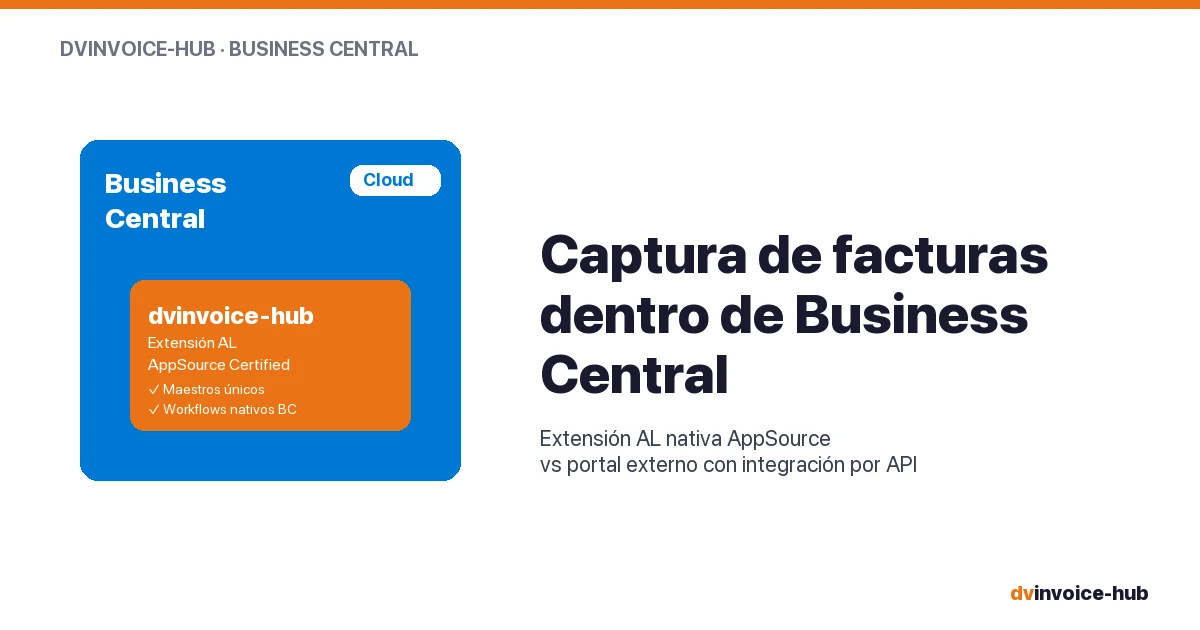
AP Invoice Capture in BC: Native Extension vs Portal
AP invoice capture in Business Central: why a native AL extension is more robust than external portals that break reconciliation and APIs.
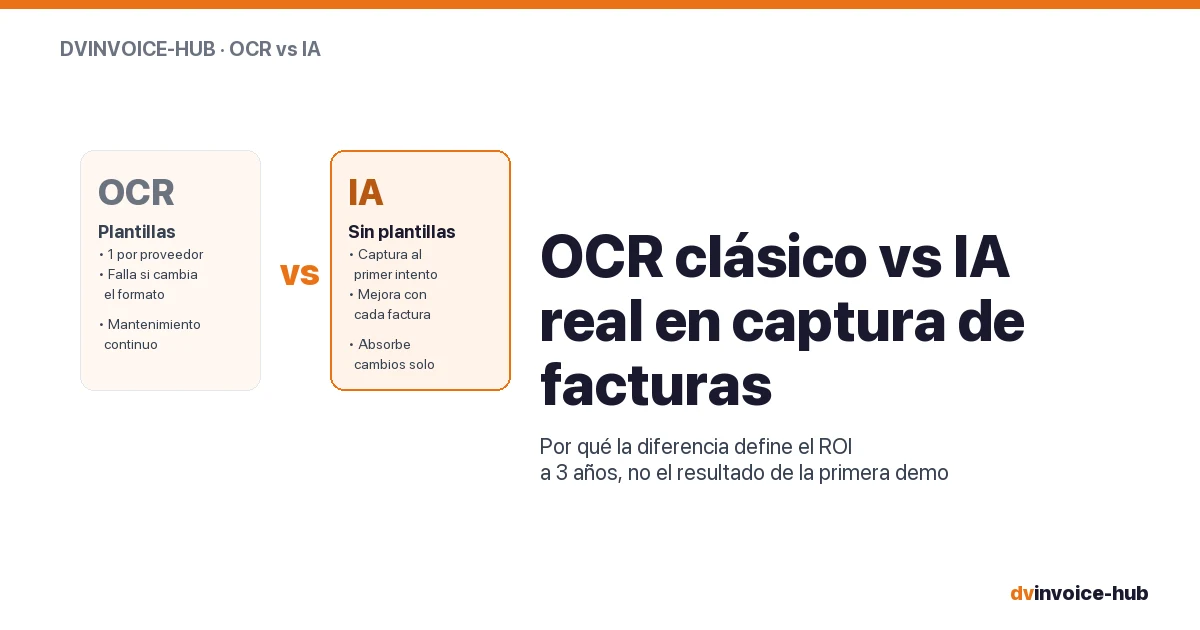
OCR vs AI for AP Invoice Capture in Business Central
Classic OCR and AI-powered capture sound alike but do very different things. Why AI applied to your supplier base reshapes the 3-year ROI.
ISO Quality Out of Excel: What the Auditor Demands
ISO 9001/14001/45001 audits no longer accept reconstructed evidence. The quality management system needs continuous traceability, not Excel.