
The Leap to Business Central Cloud
Migrate your certified extension to the cloud on a SaaS environment and gain flexibility. Increase scalability, cut costs and improve operations.

Goodbye to the server, hello to growth: evolve with Business Central Cloud
Are you thinking about migrating your ERP to the cloud but already working with customised extensions? Then this article is for you. Here we explain how to migrate a Business Central extension to the cloud, what tools to migrate Dynamics 365 Business Central extensions you need and why more and more companies opt for this technological evolution. We also address ERP customisation in the cloud vs on-premise, an essential comparison to understand the differences and benefits that migrating to a cloud environment offers. Likewise, we show you how to adapt ERP extensions to a cloud environment to maximise the efficiency and scalability of your solution. This is an ERP solution for growing companies, which makes maintenance of extensions on Business Central online easier and turns your system into an ERP without your own servers, accessible from anywhere and ready to scale with your business.
”Migrate your certified extension to the cloud”
Simplified maintenance and lower technical dependency
One of the great benefits of migrating to Business Central online is that Microsoft takes care of the entire infrastructure. This includes updates of the base system, security, availability and overall performance, which guarantees a stable and always-up-to-date environment.
That way, you forget about managing physical servers, IIS, Windows services or SQL Server. As a result, extension maintenance becomes a much simpler, standardised and, above all, automatable task.
Ultimately, this is a natural step towards an ERP without your own servers, freeing your technical team from infrastructure tasks so they can focus on generating value.
More agile and automated updates
In the cloud, extensions must be developed under the AL model, which promotes modularity and future compatibility. In addition, Microsoft validates the extensions before launching new ERP versions, significantly reducing the risk of errors after updates.
This approach is one of the main advantages of using extensions in Business Central SaaS, since it guarantees that the system is robust and always ready for the future.
Another bonus? You can implement CI/CD pipelines to deploy changes faster and more safely, making maintenance of extensions on Business Central online easier.
Total accessibility and mobility
Does your team work in a distributed way or need access from multiple locations? With Business Central in the cloud, your customised extensions will be available from any place and device, guaranteeing operational continuity.
This is a clear advantage of having an ERP solution for growing companies that requires flexibility, without compromising functionality or performance.
Greater security and backup
Migrating to Business Central SaaS means adopting a more secure environment, which includes:
- Encryption of data in transit and at rest.
- High availability, which guarantees that your developments are protected against server outages, human errors or physical failures.
That way, maintenance of extensions on Business Central online is not only simpler, but also far more secure.
Scalability and reuse
Once in the cloud, your extensions can scale easily and be reused across different environments or customers, especially if you are a partner. In addition, you can even publish your solution on AppSource, generating new lines of business.
This is an approach that goes beyond classic customisation, since we are talking about products with real growth potential, a clear advantage of using an ERP accessible from anywhere designed for expanding companies.
Visibility, traceability and telemetry
Dynamics 365 Business Central online offers tools such as Application Insights, which let you monitor how your extensions are used, detect errors and optimise their performance.
Thanks to this visibility, you can improve the quality of support and make decisions based on real data, strengthening maintenance of extensions on Business Central online and ensuring an ERP ready for growth.
Regulatory compliance and technical quality
To work in the cloud, extensions must comply with Microsoft’s standards, which include:
- Clean extensions
- Use of events
- Unmodified codeunits
These conditions ensure greater maintainability, portability and technical quality. In other words, best practices become mandatory to guarantee efficient maintenance of extensions on Business Central online and a robust solution.
Migrating extensions = strategic investment
ERP customisation in the cloud vs on-premise is no longer a simple technical comparison. Migrating an extension to the cloud lets you improve the stability of your system, reduce support costs, increase mobility and prepare your environment to scale with ease.
Therefore, if you are looking for an ERP accessible from anywhere, more secure and adapted to the needs of your growing business, this is the path to follow.

Want to know more about how to migrate to the cloud?
Practical roadmap to migrate an extension to the cloud
Migrating a customised Business Central extension to SaaS isn’t improvised. The proven route in real projects has clear phases:
- C/AL code audit (2-3 weeks). Inventory of modified objects, identification of changes to the standard and mapping to available AL events. Output: feasibility report with the percentage of functionality directly migratable, refactor needed and functional redesign.
- Refactor to AL (4-12 weeks depending on volume). Rewriting of the code in the AL Development Environment with Visual Studio Code, replacing direct modifications with subscriptions to published events, moving legacy functions to native APIs.
- Testing in a local Docker environment (parallel). Validation against the symbol set of the target BC version. Early detection of breaking changes in Wave 1 / Wave 2 rollouts.
- CI/CD integration (1-2 weeks). Pipelines in Azure DevOps or GitHub Actions for automatic packaging, testing and publishing. Without a pipeline, each deployment depends on a technician — and that doesn’t scale.
- Data migration (variable). Master and historical transactional data into the cloud environment, with cross-reconciliation of balances.
- Functional validation with key users (2-4 weeks). UAT with real customer cases. It is the phase most underestimated and the one that most decides project success.
- Go-live and hypercare (4 weeks post-start). Monitoring with Application Insights, fine-tuning, close of the first month in cloud.
Typical total time for a mature vertical extension: 4-9 months depending on code volume and complexity of external integrations.
Typical mistakes when migrating to Business Central online
What we see repeating in projects that arrive at Davisa after a first failed attempt with another partner:
- Treating the migration as a “lift and shift”: C/AL code doesn’t work as is in AL. You have to refactor — and trying to shortcut this is the #1 cause of failed projects.
- Not reviewing external integrations: web services, shared files and legacy connectors don’t work in SaaS. They have to be replaced by standard APIs or Power Platform connectors from day one of the design.
- Underestimating data migration: what looks like “export and import” gets complicated by model changes, new dimensions and stricter validation rules. Loading dirty history into BC online creates more problems than it solves.
- Not training the team in AL: if the partner migrates but the customer’s IT team doesn’t understand the new model, in six months every incident turns into an external invoice. Training the customer team is part of the project, not optional.
- Ignoring BC online transaction limits: cloud APIs have rate limits. Massive processes designed in on-premise (nightly imports of millions of records) need to be redesigned in batches.
Davisa has been a Microsoft Solutions Partner specialised in Business Central since 2003 (when it was still Navision) and has migrated its own extensions (dvproduction, dvproject, dvquality, dvgmao, dvfinance, dvstock) and dozens of end-customer extensions. The accumulated experience is what separates a clean migration from a project that bleeds for months afterwards.
Take the leap with expert support
Davisa migrates its own extensions to SaaS (dvproduction, dvproject, dvquality, dvgmao and others) and end-customer extensions, with prior consultancy to assess feasibility before committing budget. If your CMMS or your BC is on-premise and you are weighing the leap, talk to a Davisa adviser — 30 minutes, no obligation.
Artículos relacionados
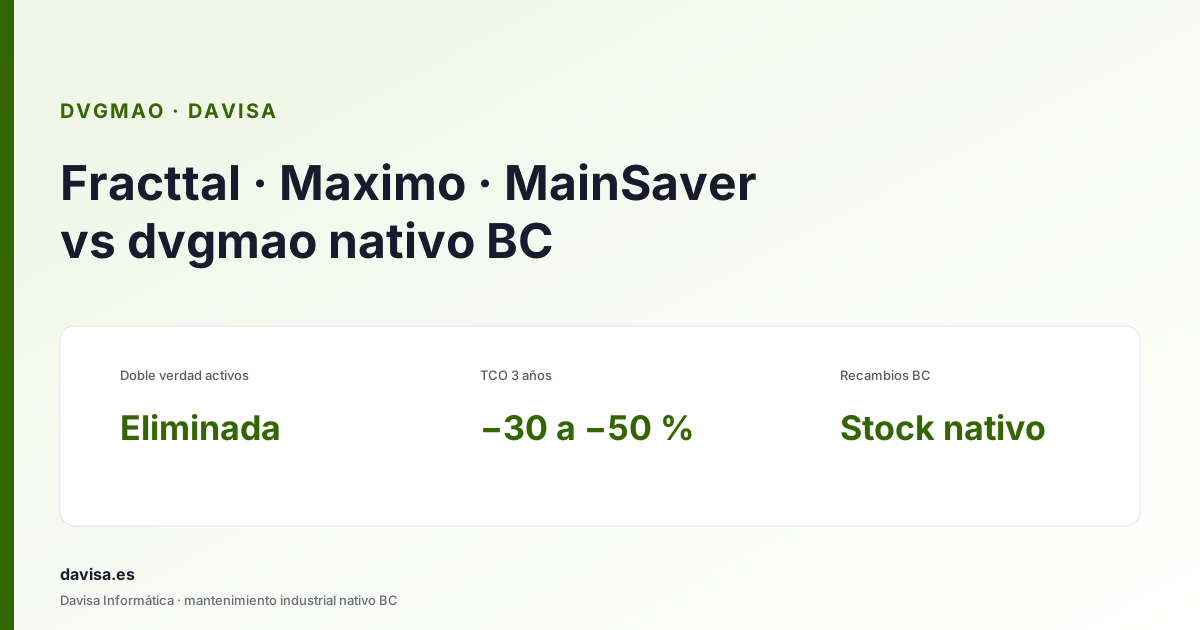
Fracttal, Maximo & Mainsaver vs dvgmao: CMMS in BC
Top CMMS platforms (Fracttal, Maximo, Mainsaver, MaintainX) compared with dvgmao, the native Business Central option. When each one fits.

Business Central vs Custom ERP Development: Which Is Better?
Business Central with extensions or a custom-built ERP? If you're weighing which option fits your company best, keep reading.

Power BI on Business Central: Dashboards for SMEs
Power BI in the cloud lets you visualise and analyse data in real time from your business applications. Discover all its benefits.