
AI in Construction: The Site Manager's Data Goldmine You Are Not Exploiting
The site manager is the richest operational data source in a construction company. How AI on BC + dvproject construcción turns that data into real margin.
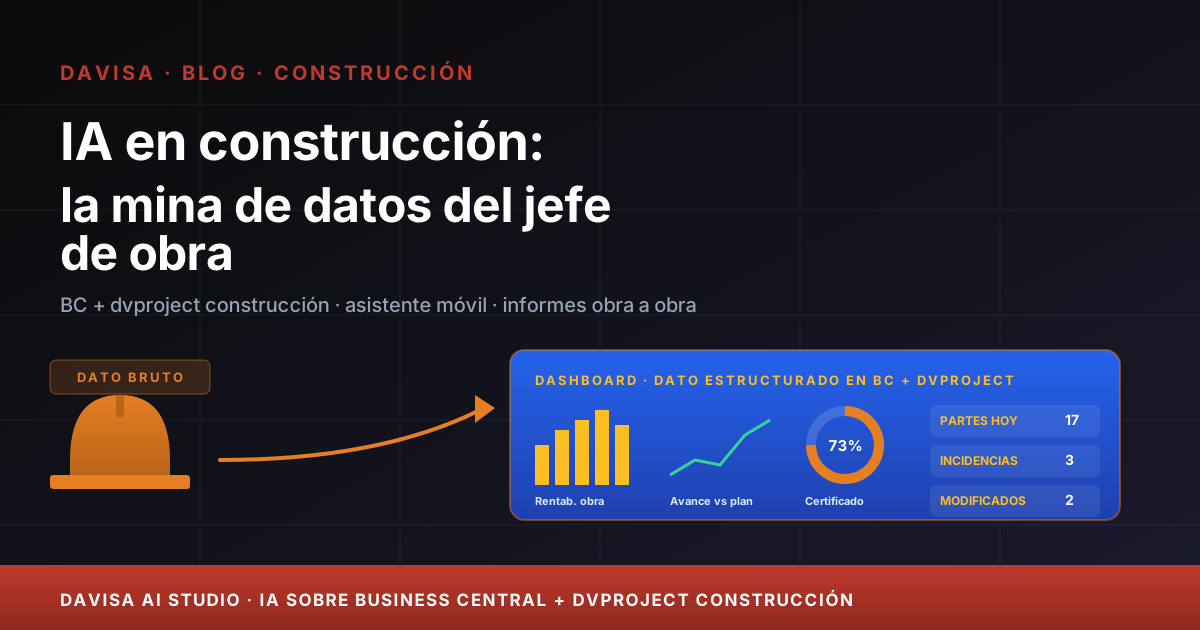
The site manager is, without question, the richest operational data source in a construction company. Every day they sign timesheets, gather material consumption, take progress photos, log incidents with the design team, agree change orders on the fly, manage subcontractors, measure kilos of rebar laid and reconcile end-of-month accounts. All that information — minute by minute, site by site — should translate into company knowledge.
The reality of the typical contractor is different. That data enters Business Central + dvproject construcción partially thanks to the site manager’s discipline and the mobile app, but 30-40% of the value that data could deliver stays untapped. Not for lack of data: for lack of a layer on top that helps read it.
This article is exactly about that. What AI can do with the site manager’s data today, in 2026, on the BC + dvproject construcción ecosystem, and why Davisa AI Studio invests there. No transformation promises. Four concrete cases with indicative metrics and an honest final section on what AI does not solve.
What data is available today in BC + dvproject construcción
It is worth pinning down what data we mean. On a mid-sized site of 6-18 months with a site manager using dvproject construcción daily, the system accumulates:
- Site structure: chapters, work items, sub-items with base budget, imported from Presto or Arquímedes (Spanish takeoff tools) via BC3 (the Spanish construction interchange format).
- Daily timesheets: from the site manager, own operators, subcontractors, linked to work item.
- Progress photos: uploaded from the dvproject construcción mobile app with geolocation and timestamp.
- Material consumption: warehouse outputs allocated to specific work items, incoming delivery notes on site.
- Incidents and change orders: record of changes agreed with the design team, associated photos, estimated amounts.
- Subcontractors: orders, receipts, validations, REA / TC1-TC2 documentation (Spanish statutory subcontractor compliance), certifications to subcontractor.
- Progress billing to client: percentage progress per work item, amounts, performance retention, payment calendar.
- Deadlines: contractual milestones, delays, agreed extensions.
Together: hundreds of thousands of structured rows per site. It is a goldmine. The question is why nobody mines it in depth.
Why the data exists but nobody exploits it
Three reasons we see repeated in companies with dvproject construcción already deployed and running well:
Query friction. The site manager, the CFO or the operations director need three clicks and BC knowledge to extract the information they want. In practice, most settle for the monthly Power BI summary and lose the chance to look at data when needed — a Monday at 6 AM on site, with their head on the day ahead.
Missing AI layer on top. The data is there, but reading it requires interpretation. How many sites have an 8% deviation on work item 03.04 this month? Which subcontractors generate more incidents on 18-month sites vs 8-month sites? Is there any site where the rate of daily timesheets has changed in the last two weeks and we haven’t billed the corresponding change order? Without a layer reading for you, those questions go unasked.
Historical investment in reporting, not daily operations. Companies that have run a serious project with dvproject set up corporate Power BI, margin-per-site dashboards and consolidated reporting — useful for management and CFO. But the site manager, who generates the data, keeps working with the mobile app and the notebook. For them the ROI of exploiting data never arrived.
AI comes to resolve those three frictions. And it is worth insisting on something we consider important: the main direct beneficiary is the site manager, not the CFO. If the site manager uses the AI layer, the data flows clean; if they do not, there is nothing to exploit.
The four concrete things AI can do with that data
1. Conversational assistant for the site manager on their mobile
The first case, the one moving the needle on site. The site manager opens the dvproject construcción app and, alongside the usual flows, has a contextual AI chat on their site. They ask in natural language and get an answer on real data:
- “How much have we billed on the Mar del Olivar site?”
- “How many hours did the Ferrallas Pérez subcontractor put in this month on work item 03?”
- “Summarise the open incidents with the design team in the last 15 days.”
- “I need today’s report: 8 own operators, 4 hours on work item 02.05, 2 hours on work item 03.02, photo of the north footing.”
- “Alert me if any subcontractor TC1/TC2 statutory document expires in the next 7 days.”
The assistant reads BC + dvproject construcción in real time, answers with exact data and, where applicable, executes the action (create report, open incident, send email). Complete use case at construction site-manager AI assistant.
Indicative saving: 4-6 hours/week of admin tasks per site manager, depending on volume. A company with 8 active site managers recovers 32-48 weekly hours of real site capacity. The metric customers care most about: the site manager stops burning out on paperwork.
2. Change-order anticipation before it becomes a loss
An unflagged change order is the most expensive silent loss in the sector. The company executes extra work trusting it will be agreed later, the close arrives and it turns out the change order was not signed, was not billed or was billed late — and the cost is already consumed.
AI cross-references three early signals to alert the site manager and operations director before the change order becomes a problem:
- Hours or material deviation on specific work items against the base budget — when reality exceeds the budget by 8-12% on a work item, a signal fires.
- Patterns in daily reports indicating unplanned work (operators in non-budgeted zones, materials outside the original list).
- Progress photos compared against contractual scope — the mobile app already captures geo-referenced photos; AI detects when the photo shows elements that were not in the budget.
When a signal fires, the system alerts the site manager and operations director with the change-order proposal: who needs to sign off, estimated amount, affected work items. The change-order collection is anticipated by 2-8 weeks compared to usual practice.
Indicative saving: for a mid-sized contractor with 8-15 active sites, well-managed change orders typically represent 1.5% to 4% of margin recovered on annual site volume, depending on volumetry. It is a metric the CFO follows closely and that justifies ROI with margin to spare.
3. Incident pattern detection by subcontractor or site
A typical contractor works with 30-80 active subcontractors. Each one has its incident profile: some arrive late, others bring incomplete documentation, others have recurring quality issues, others generate upward change orders. The site manager of each site knows theirs — but the company does not consolidate the cross-cutting pattern.
AI cross-references the history of incidents, delays, non-conformities and subcontractor validations across all active and past sites, and produces actionable patterns:
- “Subcontractor X has an incident rate 2.3× higher than average on sites longer than 12 months.”
- “Sites where subcontractor Y is involved in structural work items accumulate upward change orders above 6%.”
- “On small sites (<EUR 800k), subcontractor Z maintains a low incident profile and competitive pricing — good candidate to prioritise.”
The operations director and procurement lead have grounds to select and negotiate based on data, not feelings. The subcontractor approval policy moves from Excel + memory to a live system.
Indicative saving: hard to measure as direct saving. The value is in reducing incidents on new sites through better selection. Companies systematically applying the pattern reduce serious site incidents by 15% to 30% in the second year depending on volume.
4. Automatic executive site reports
Every week, the operations director and general management need an executive summary per site: progress, deviation, open risks, upcoming milestones. The usual practice is scattered emails from each project’s site manager and a weekly meeting where each one presents their part. Site manager time spent on writing: 1-3 hours per week per project.
AI generates the weekly site report from real BC + dvproject construcción data:
- Progress vs schedule, with a comparative progress photo.
- Cost deviation by chapter with commentary on probable causes.
- Open incidents with the design team, status and next step.
- Change orders pending signature or billing.
- Upcoming risks: subcontractor expiries, contractual milestones in the next 30 days, possible schedule tensions.
The site manager reviews the draft, adds qualitative field context, adjusts tone and signs. Writing time drops from 1-3 hours to 15-30 minutes per site per week depending on volume.
Indicative saving: for a company with 10 active sites, it recovers 7-25 weekly hours across the site managers. Implicit bonus: management receives consistent reports, comparable week to week, without having to reformat anything.
How it is deployed without breaking the site manager’s flow
This is the most important part operationally — and the most invisible in AI presentations. The whole proposal collapses if the site manager feels AI is yet another layer on top of their day. The Davisa AI Studio method handles exactly that:
Phase 1: discovery and baseline (2-3 weeks). We shadow 2-3 site managers in their real day. We measure how much time they spend on admin tasks, what information they look for, what meetings waste time. Without that base there is no way to measure honest ROI.
Phase 2: pilot on selected sites (8-10 weeks). We activate capabilities one by one, starting with the mobile conversational assistant (the one giving the site manager most immediate saving). The other three fronts — change orders, patterns, reports — are added once the first one is rolling.
Phase 3: go/no-go with numbers (1-2 weeks). We compare baseline vs pilot. If the numbers do not deliver ROI, we say so and stop. If they do, we scale to the rest of the sites and site managers.
Phase 4: continuous tuning. AI learns with each site. The incident-pattern model is refined quarter by quarter.
The operational key: the site manager does not learn a new system. They work with the dvproject construcción app they already know, simply with one more icon — the assistant — and with smart notifications that did not arrive before. The habit change is minimal. The complete method is at Davisa AI Studio method.
The honest limits: what AI does not solve on site
Three fronts worth acknowledging before signing.
The site manager’s technical experience is irreplaceable. Deciding whether the rebar is properly resolved, whether the concrete joint needs re-setting out, whether the plumbing subcontractor understands the bathroom detail — that is human judgement and must remain so. AI brings speed and order to the operational; not technical judgement.
Very small sites with little data. For a 2-3 month site with a single team and 200 timesheets in total, patterns do not emerge and investment is not justified. AI on site makes sense from medium-duration sites onwards or portfolios with multiple simultaneous sites.
Human relationships with conflictive subcontractors. AI detects the pattern (“this subcontractor systematically generates incidents”), but the hard conversation — renegotiation, vendor change, political decision — remains with the site manager and management. AI provides data ammunition, it does not resolve the conversation.
Conclusion: the site manager’s data is the mine, AI is the lever
The site manager generates the richest operational data in a construction company. In most companies with dvproject construcción deployed, that data is available and clean — but underused. The AI layer on top unlocks four cases with reasonable ROI depending on volume: mobile conversational assistant, change-order anticipation, incident patterns and executive site report.
AI does not replace the site manager. It removes friction so they can spend time on what matters: walking the site, coordinating the team, talking to the client. The metric that matters most when measuring a pilot: the site manager stops burning out on paperwork and recovers field capacity.
If your company already has BC + dvproject construcción running well and you want to evaluate an AI layer on top, the first step is a measurable discovery — not a blind purchase. To start:
- Review the construction AI sector page for the complete cases in order.
- Read the Davisa AI Studio method — how we measure baseline, pilot and go/no-go.
- Look at industrial construction ERPs and site profitability if you are still evaluating whether your base ERP supports what comes on top.
- Cross-check against the construction ERP platform comparison if the platform decision is still open.
- Open a Davisa AI Studio discovery when it is clear that the data is there, the pain is there and you want to size the ROI before investing.
Artículos relacionados

Spanish Construction ERP: An International Perspective
How Spanish construction ERP differs from US/UK/DE standards: REA, TGSS, retentions, BC3, Verifactu. A guide for international CFOs and groups.

Retention Bond Management for Construction: ERP vs Spreadsheets
The hidden cost of forgotten retention bonds in construction — why 5-15% expire unclaimed, and how Business Central + dvretencionesgarantia fixes it natively.

Best Project Management Tool for Business Central: 2026 Guide
Honest comparison of project management tools for construction and engineering: MS Project, Asana, Monday and integrated ERPs like dvproject.