
Time tracking on construction sites: digital clock-in for builders
How to comply with time registration on-site with mobile workers, subcontractors, and rotating staff. dvgtime works standalone or connected to Business Central + dvproject.
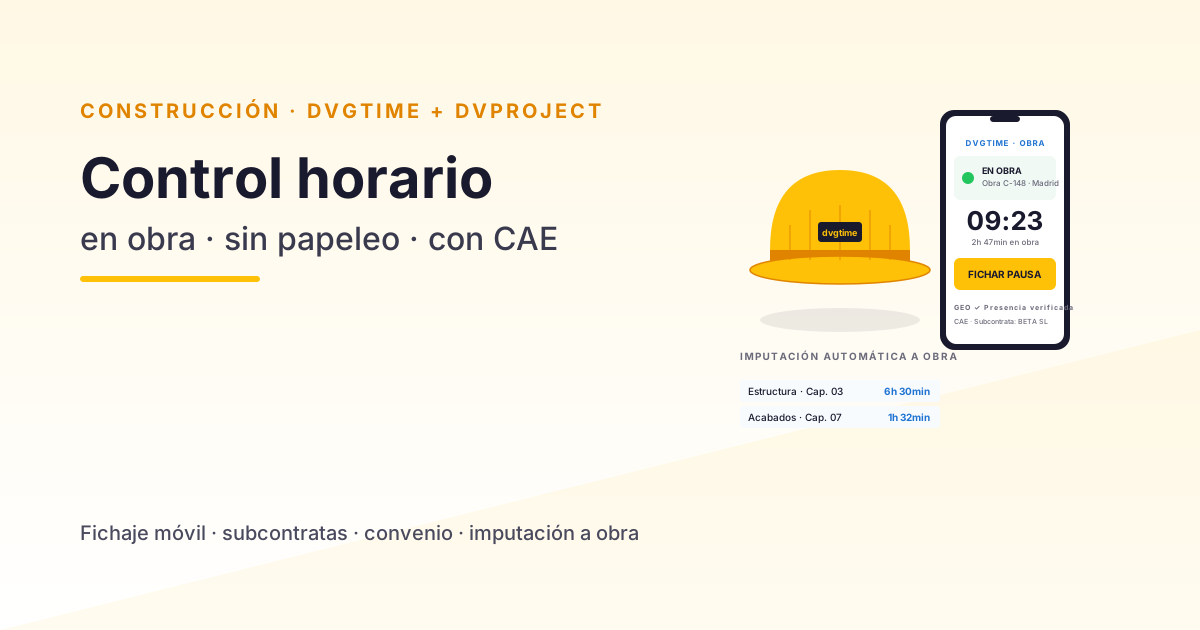
Time registration on a construction site is one of the most complex scenarios any clock-in system can face. It brings together mobile workers (site managers rotating between locations, tradespeople switching plots mid-shift), subcontractors with their own workforces that must be tracked for Health and Safety Coordination purposes, variable working hours tied to the regional collective agreement and the progress of the works, and the need to allocate labour to each budget line so that the project’s financial control is genuinely accurate.
Generic time-tracking tools (Sesame, Bizneo, Personio…) handle the office scenario beautifully but tend to fall short on site. This guide explains how to tackle time tracking specifically in construction with dvgtime — a Spanish SaaS platform for workforce management and time registration that works standalone (browser, mobile app, and kiosk in the site hut, with no ERP required) or, if your construction company runs Microsoft Dynamics 365 Business Central, natively connected to BC + dvproject to close the loop on cost allocation to projects. Where the company does not use BC, dvgtime still meets the registration requirement in full and can, if needed, connect to other ERPs (Sage, SAP…) via connector.
📊 Wondering what poorly managed time tracking is costing you? Calculate in under a minute how many hours slip through each month and your company’s risk of a penalty with the dvgtime lost-hours calculator — no sign-up required, all calculations run in your browser.
The four challenges of time tracking in construction
Challenge 1 · No physical office to put a clock in
In a small or medium-sized construction company the “office” might have 5–8 people, but the site can move 30–80 workers every day — and there is no fixed point on site where you can install a physical time clock. The real solutions available:
- Mobile app: each worker clocks in from their personal or company smartphone. Requires everyone to have a smartphone — which is not always the case on site.
- Shared tablet in the site hut: a rugged tablet acts as a shared time clock. Each worker identifies themselves with a PIN or NFC card. The standard solution when some workers don’t have their own phone.
- Hybrid: site managers and technical staff use the app; operatives use the shared tablet. The system must support both modes simultaneously.
dvgtime covers all three scenarios from a single configuration.
Challenge 2 · Workers rotating between sites
A site manager might start the day at site A, supervise for 2 hours, drive to site B, put in 3 hours there, go back to site A, and close with another 2 hours. If their clock-in is flat (just a single entry and exit), the labour cost allocation between the two sites is an estimate — and estimates always drift.
dvgtime records each clock-in linked to the work centre where it occurs, thanks to geolocation. When month-end comes around, the system automatically distributes Juan’s cost between sites A and B based on the actual hours clocked at each one. That allocation is ready to export or, if the company uses Business Central + dvproject, feeds directly into the ERP’s cost accounting — no intermediate spreadsheet, no margin for error.
Challenge 3 · Subcontractors and external workers
Subcontractors have their own clock-in system — their company, their responsibility. But as the principal contractor you need to demonstrate presence control on site for Health and Safety Coordination purposes (Royal Decree 171/2004). If the Labour Inspectorate visits your site, they will ask for:
- A daily attendance report listing every worker who entered, whether directly employed or from subcontractors.
- Up-to-date H&S documentation for each person (training certificates, medical checks, PPE records, Social Security registration).
- Documented coordination of activities.
dvgtime records every entry and exit on site, including identified external workers, and generates the daily attendance report for CAE compliance. H&S document management (training records, technical data sheets, contracts) is handled by dvproject within the same database.
Challenge 4 · The construction sector collective agreement
The sector has its own agreement (with regional variants) that sets the legal working day, structural overtime, provincial construction calendar public holidays, personal leave days, and rest period rules. A generic clock-in solution treats all sectors the same and leaves the adaptation to the user.
dvgtime is configured during implementation with:
- Legal working hours under the applicable agreement.
- Public holidays from the construction industry calendar for the province where the site is located.
- Mandatory rest periods applied according to shift length.
- Overtime: any hours beyond the legal working day are automatically flagged for validation.
When the Inspectorate comes, the records are consistent with the collective agreement — not with a manually tweaked spreadsheet.
Why dvgtime + dvproject on Business Central is the best choice for construction companies
Individually, any solution solves one piece of the puzzle. The combination integrated within the same Business Central solves the entire cycle:
| Layer | Who covers it |
|---|---|
| Worker clock-in + working hours | dvgtime |
| Allocation to site / budget line | dvgtime → dvproject |
| Real labour cost per project | dvproject (cost accounting) |
| Subcontractors + H&S documentation | dvproject (document management) |
| CAE coordination | dvgtime (presence) + dvproject (documentation) |
| RD-ley 8/2019 compliance | dvgtime |
| Payroll with actual hours | Business Central + external or integrated payroll |
Clock-in data never has to be exported anywhere: it lives in the same database as payroll, certifications, purchases, and delivery notes. The construction company operates on a single source of truth — no parallel spreadsheets.
Three common mistakes when digitalising site clock-in
Based on the situations we see before every implementation:
1 · Choosing an app that only works with signal
Many sites have dead zones with no coverage (basements, industrial units under construction, rural business parks). An app that requires a constant connection means a percentage of the workforce can’t clock in — and someone ends up filling in the gaps by hand. Make sure the app supports offline mode with automatic sync when connectivity is restored.
2 · Not configuring the construction agreement from day one
Some SMEs deploy a generic app with a “default” configuration (office hours, 8-hour day). Three months in, they discover that the timesheets don’t match the payroll because rest periods have been applied incorrectly, public holidays are from the general calendar rather than the construction industry one, and overtime isn’t being flagged. Setting up the sector agreement at the outset avoids months of corrections down the line.
3 · Thinking the app replaces the site manager
The app is a record-keeping tool, not a substitute for the person responsible on site. The site manager is still essential for validating anomalous clock-ins, authorising overtime, handling incidents, and signing off attendance sheets. The good news: with the system properly set up, the manager goes from wrestling with spreadsheets to managing exceptions — a far more valuable use of their time.
Want to talk it through?
If your construction company wants to implement a time-tracking system that works on a real site (not just in the office) — whether you use dvgtime standalone or connect it to your Business Central + dvproject — book a free session with a Davisa consultant. We run a quick audit (how many concurrent sites, what percentage of workers are mobile, which collective agreement applies) and show you exactly how dvgtime fits into your operation.
Go deeper: calculate your lost hours and penalty risk, Mandatory time registration in Business Central, Digitalising your company’s clock-in records: 5 common mistakes, discover dvgtime and discover dvproject.
Artículos relacionados
AI in Construction: The Site Manager's Data Goldmine You Are Not Exploiting
The site manager is the richest operational data source in a construction company. How AI on BC + dvproject construcción turns that data into real margin.

Spanish Construction ERP: An International Perspective
How Spanish construction ERP differs from US/UK/DE standards: REA, TGSS, retentions, BC3, Verifactu. A guide for international CFOs and groups.

Retention Bond Management for Construction: ERP vs Spreadsheets
The hidden cost of forgotten retention bonds in construction — why 5-15% expire unclaimed, and how Business Central + dvretencionesgarantia fixes it natively.