
Digitalising Time Tracking in Your Company: 5 Common Mistakes
The 5 most common mistakes when digitalising time tracking in a Spanish SME — and how to avoid them. An operational guide for HR and operations management.
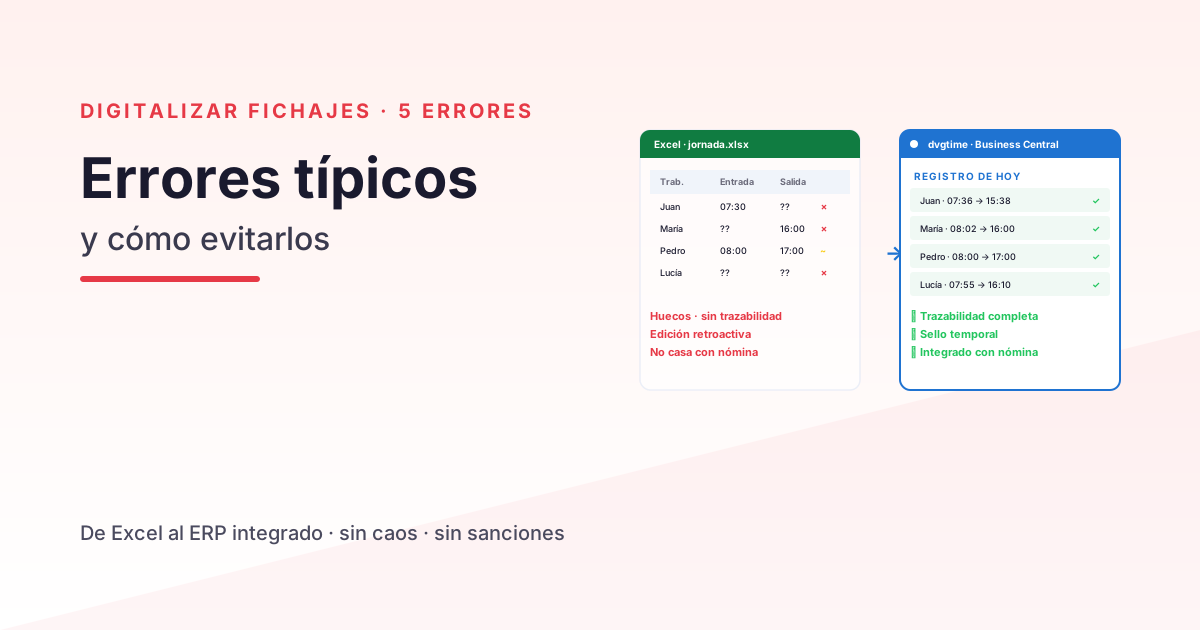
Five years ago, digitalising time tracking was a “nice to have”. Today it is a legal obligation and an operational necessity for any SME with more than 5 employees. But the path is rarely straightforward: most companies that come to Davisa with a digital time-tracking system in place have already tried one or two before and have hit a wall. The good news is that these failures tend to come down to a small set of recurring mistakes — all of them perfectly avoidable.
This guide covers the 5 most common mistakes when digitalising time tracking in a Spanish SME, with a concrete solution for each one. It is aimed at HR managers, operations leads, and general managers of companies with 10 to 200 employees.
Mistake 1 · Choosing the tool before mapping your use cases
The mistake: the IT department (or HR) spots a time-tracking app at a trade show, likes it, buys it. Three months later, they discover it doesn’t cover the most painful 30% of real use cases — workers without a smartphone, sales reps with no signal in the field, complex rotating shift patterns.
The consequence: either a parallel spreadsheet is kept running for “special cases” (making the digitalisation partial and legal traceability flimsy), or a second tool is brought in to fill the gaps (doubling cost and multiplying friction).
The solution:
Before choosing a tool, build a workforce map across 4 dimensions:
| Dimension | Question |
|---|---|
| Location | How many staff are office-based, on-site/mobile, or remote? |
| Shifts | Are there rotating, split, bank holiday, or night shifts? |
| Working pattern | Continuous hours, split hours, intensive, flexible, or variable schedules? |
| Exceptions | What breaks are recognised? What incidents come up most often? |
With that map in hand, choosing a tool becomes a technical decision, not a leap of faith.
Mistake 2 · Going all-in overnight
The mistake: a date is announced from which “everyone clocks in with the new app”. That Monday, 40% of the workforce doesn’t clock in at all — they don’t understand it, can’t find the app, or it doesn’t work on their phone. The HR team is overwhelmed with queries, and the system is discredited before it even gets started.
The consequence: for the first few months, adoption stays below 60%. Incomplete records create more problems than the old spreadsheets did, and the decision is made to “go back to the old system until we sort this out”. The project dies.
The solution:
Roll out in 3 progressive waves:
- Wave 1 — Pilots (weeks 1-2): 5-10 volunteer employees, ideally from different departments. They surface real friction points.
- Wave 2 — Core staff (weeks 3-6): the bulk of the workforce, with pilot issues already fixed.
- Wave 3 — Edge cases (weeks 6-10): rotating shifts, field reps, workers without their own mobile. These usually need additional configuration.
A phased rollout typically achieves over 90% adoption in 10 weeks, compared to 60-70% over 4 months with a big-bang approach.
Mistake 3 · Not connecting time tracking to payroll
The mistake: the time-tracking app produces clean monthly data, but someone still has to manually export it and paste it into payroll or the ERP. HR ends up spending two days a month on that task alone.
The consequence: the time savings that digitalisation promised evaporate at the very last step of the process. And copy-paste errors creep back in.
The solution:
Choose a system that works well on its own and can also integrate with your ERP or payroll system when the time comes. dvgtime is a Spanish SaaS platform for workforce management and time recording that operates independently — via browser, mobile app, and kiosk, with no ERP required — and connects to your systems when needed. In practice this means:
- If your ERP is Business Central: dvgtime connects natively, bringing time tracking and payroll into the same database. Zero exports.
- If your ERP is something else (Sage, SAP…): dvgtime connects via a connector. Make sure it’s a real, tested connector — not just “integration possible in theory” — and verify it before you commit.
- If you don’t use an ERP or aren’t ready to connect one yet: dvgtime still fully meets your legal time-recording obligations and exports data in auditable formats.
Siloed data = theoretical savings, not real ones.
Mistake 4 · Not defining what counts as a “break” and what counts as an “incident”
The mistake: you pick an app that only distinguishes between “clock in” and “clock out”. Within the first week, employees start asking: does a coffee break count as clocking out? Does a doctor’s appointment count as an incident or an absence? If I’m 5 minutes late because of traffic, how do I log that?
The consequence: every department makes up its own rules. When a labour inspection arrives or a dispute arises, the records are inconsistent and offer no protection.
The solution:
Classify these concepts before you go live (at minimum):
- Regular breaks (lunch, coffee) — do they reduce working time or not?
- Ad-hoc breaks (personal errands) — who authorises them?
- Justified incidents (medical appointments, legal matters) — what documentation is required?
- Late arrivals (transport, force majeure) — what tolerance applies?
- Absences (holiday, sick leave, paid leave) — who records them?
Once defined, configure the app accordingly before launch. Employees choose from a closed list of options — no free text. The result: consistent, defensible, and comparable records.
Mistake 5 · Assuming the system “runs itself”
The mistake: once the system is live, HR assumes it needs no attention. But calendars change (regional bank holidays, collective agreements), headcount changes (new hires, departures), shifts change (seasonal campaigns, new projects) — and nobody updates the configuration.
The consequence: after 6-12 months, the system starts producing odd errors — clock-ins on non-existent bank holidays, overtime that isn’t calculated, employees showing as absent when they were in training. HR loses trust in it and goes back to spreadsheets “for the cases where the system gets it wrong”.
The solution:
Assign a dedicated internal owner for the system — this doesn’t need to be a technical role; a part-time HR profile is enough — responsible for:
- Monthly: updating new hires and leavers, reviewing anomalous clock-ins, adding new shift patterns as needed.
- Quarterly: reviewing overall compliance (how many employees missed a clocking day?).
- Annually: updating bank holiday calendars for the coming year, reviewing collective agreements.
Without an owner, any system degrades. With one, the system gets better over time.
When dvgtime is the right choice
dvgtime is designed precisely to avoid these 5 mistakes. It works independently — via browser, mobile app, and kiosk, with no ERP required — and, when you need it, connects natively to Microsoft Dynamics 365 Business Central or to other ERPs (Sage, SAP…) via connector. Clear signals that it’s a good fit for you:
- You have between 10 and 200 employees with a mixed profile (office + field + remote).
- You want a time-tracking tool that works out of the box, with no ERP dependency, and that you can integrate with your payroll system later if needed.
- If you also use Business Central, you want a single system for time tracking, payroll, and project hour allocation.
- You value solid legal traceability (audit trail, RD-ley 8/2019, potential labour inspections).
When it is NOT the priority:
- Your company has fewer than 5 employees and everyone clocks in on-site with a spreadsheet, without issues.
Shall we talk?
If you want to digitalise time tracking in your company while avoiding the 5 mistakes above, request a free session with a Davisa consultant. We’ll do a quick audit — what system you have today, your workforce profile, the specific pain point — and show you how dvgtime fits your operation, whether standalone or connected to your Business Central or another ERP.
To go deeper: Mandatory time recording: how to comply using Business Central, Time-tracking app vs. ERP-integrated time control and discover dvgtime.
Artículos relacionados
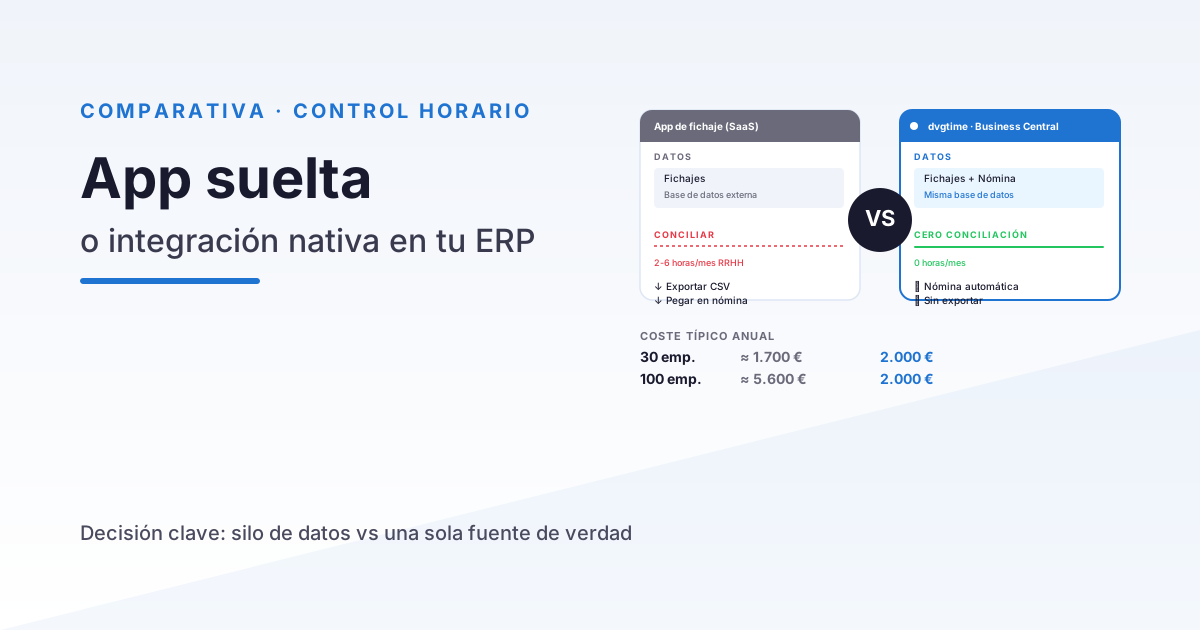
Time Tracking App vs Integrated Time Control in Your ERP
A practical comparison between generic time tracking apps (Sesame, Bizneo, Personio) and time control integrated in Business Central. When to choose each option.
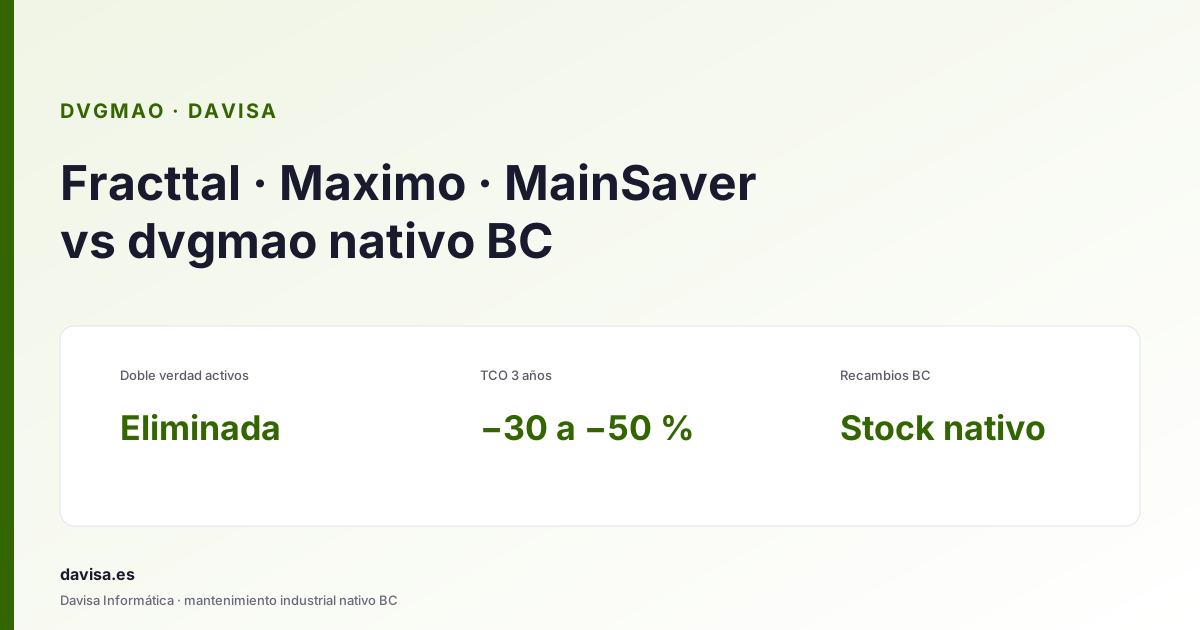
Fracttal, Maximo & Mainsaver vs dvgmao: CMMS in BC
Top CMMS platforms (Fracttal, Maximo, Mainsaver, MaintainX) compared with dvgmao, the native Business Central option. When each one fits.
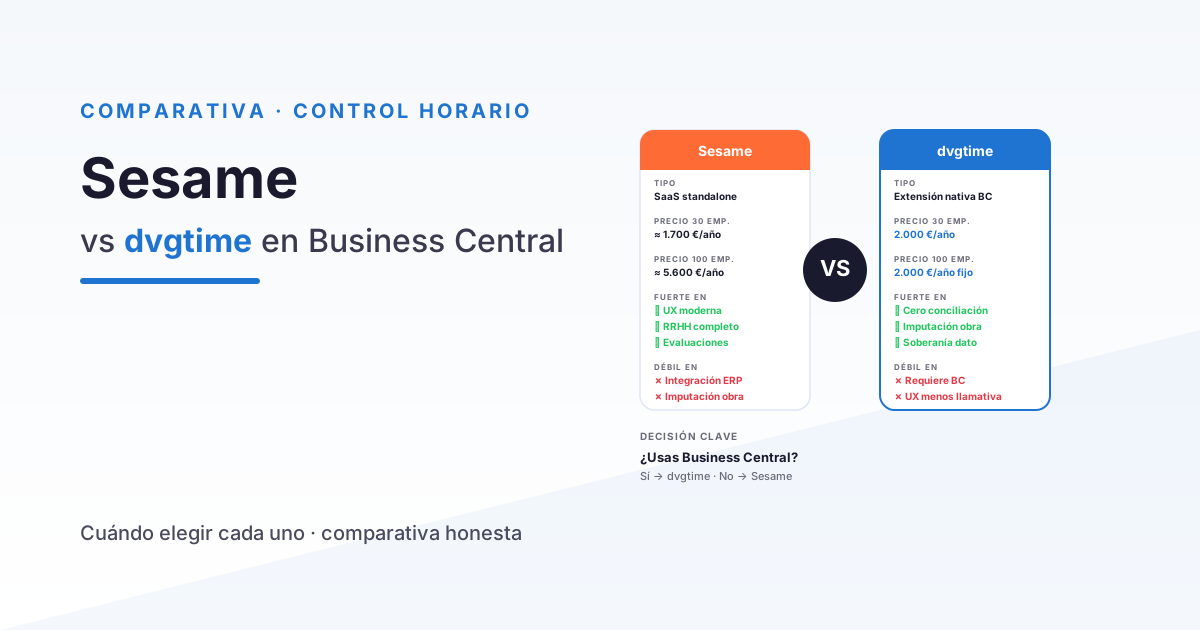
Sesame vs dvgtime: which time-tracking tool to choose if you use Business Central
A practical comparison between Sesame HR and dvgtime for companies using Microsoft Dynamics 365 Business Central. Features, pricing, and integration.